Every way your customers want to pay
Manage all payment gateways from one dashboard — with zero EasyStore transaction fees.
Try for Free Chat with Us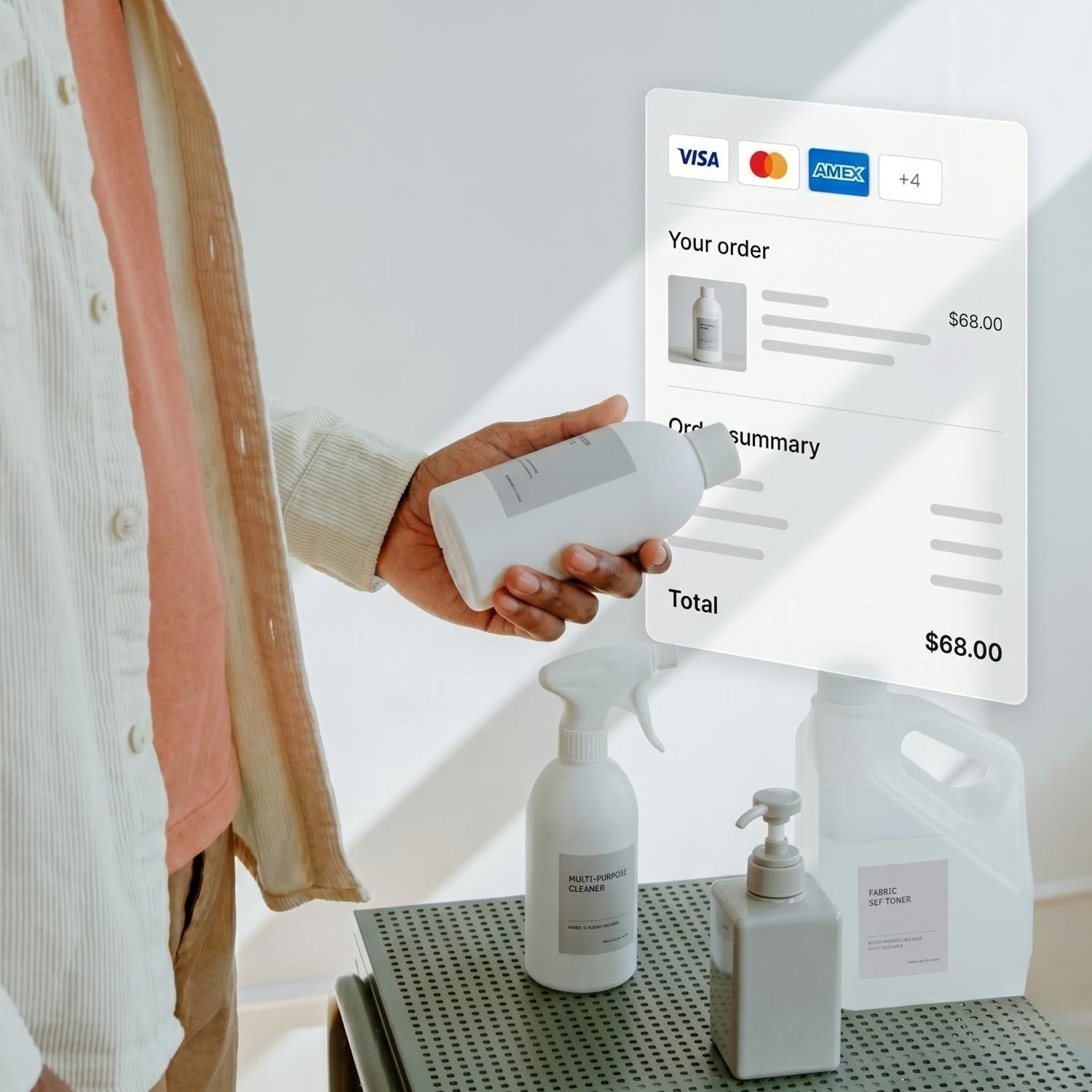
How payments work with EasyStore
-
1
Customer checks out
Chooses a preferred payment method.
-
2
Payment is processed
The gateway processes it securely.
-
3
Order is updated
EasyStore marks the order as paid.
-
4
You get paid
The gateway deposits the money into your bank account.
Find a payment gateway for your business


Need help choosing a payment gateway?
Tell us where and how you sell. Our team will help you narrow down the available options.
The payment methods you can accept
-
Credit / Debit Card
Accept Visa, Mastercard, American Express, and JCB — pay in full or via instalment plans.
-
Online Banking / Bank Transfer
Customers pay directly from their bank account — includes FPX, ATM transfer, and local bank methods.
-
E-Wallet
Mobile wallets like Touch 'n Go, GrabPay, and LINE Pay — fast, one-tap payments online and in-store.
-
Apple Pay
Customers pay with Face ID or Touch ID on their Apple device.
-
Google Pay
Customers pay using saved cards on Android devices, instantly and securely.
-
Buy Now, Pay Later
Let customers split purchases into interest-free instalments.
-
Dynamic QR
Generate a unique QR per transaction at your POS. Customers scan and pay with their banking app or e-wallet.
-
Tap to Pay
Accept contactless card and e-wallet payments in store.
-
Manual Payment
Accept bank or QR wallet transfers online. You verify receipt and mark the order as paid from your admin panel.
-
Cash
Accept cash at your physical store. Orders are marked as paid at the POS upon collection.
How EasyStore payment solutions
help your business
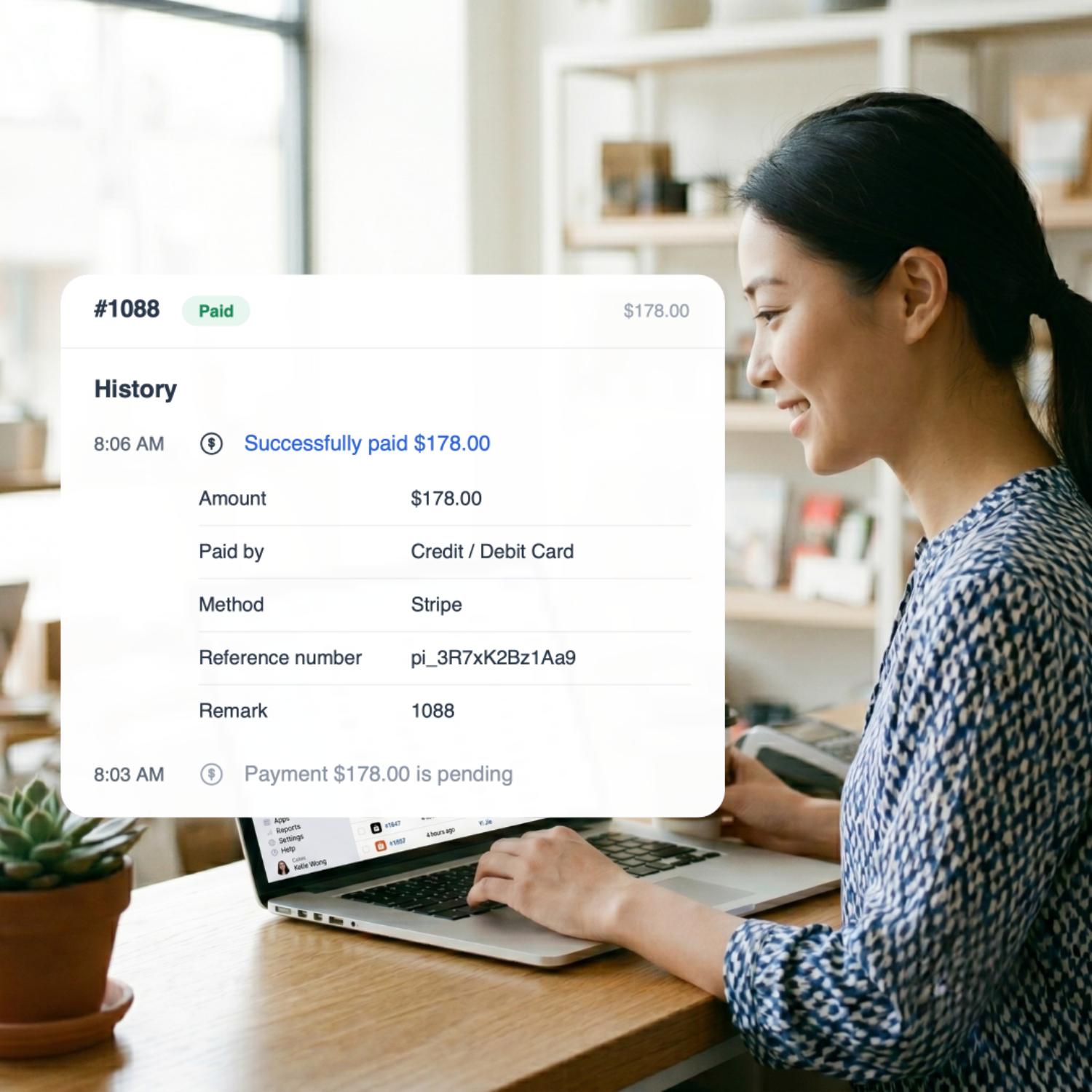
AUTO-RECONCILIATION
Every payment, matched to its order
Know when an order is paid automatically, so you can fulfil it sooner without manually checking transactions.
RECOVER SALES
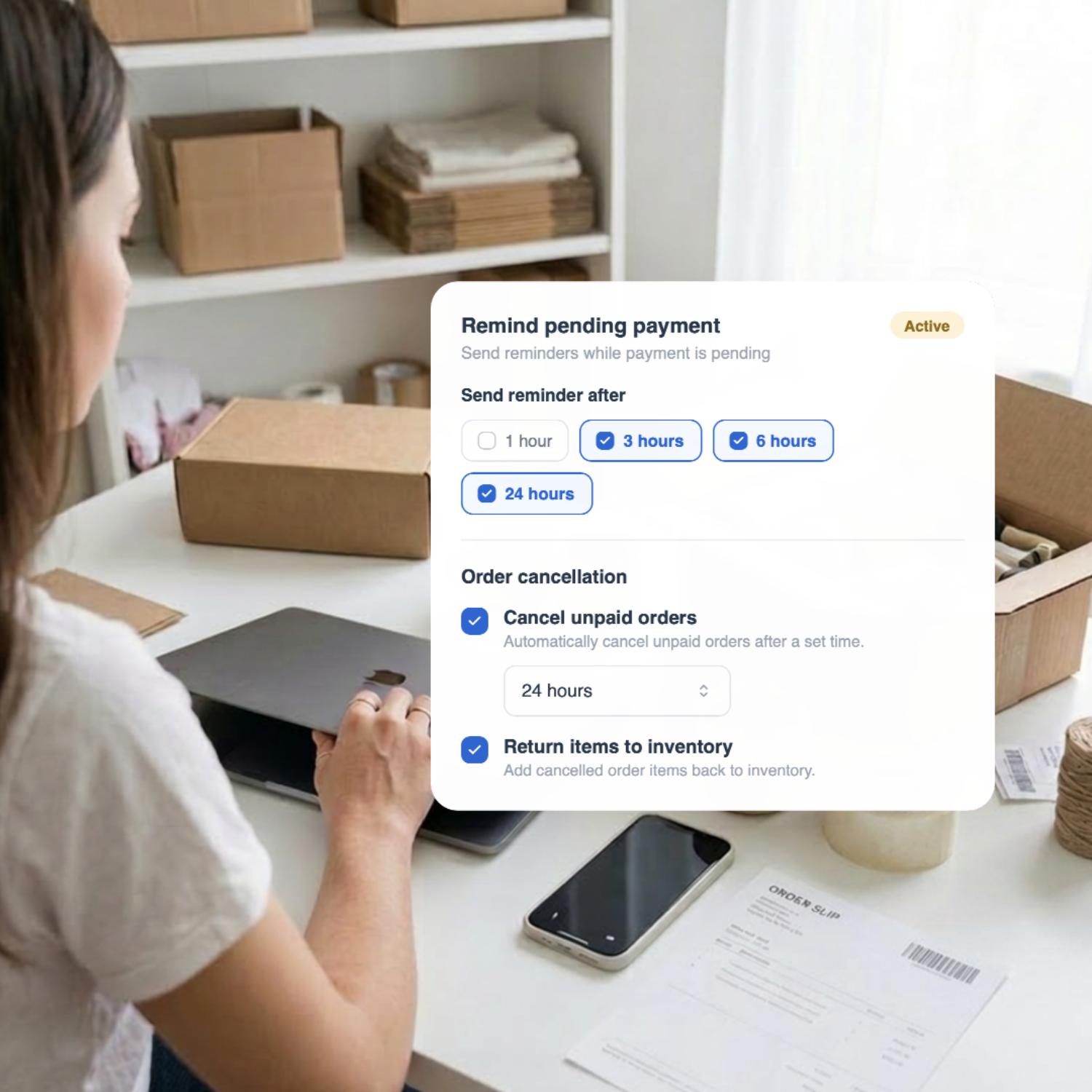
Turn more unpaid orders into paid sales
Send multiple payment reminders to recover unpaid orders, then automatically cancel and restock those that remain unpaid.
INSIGHTS
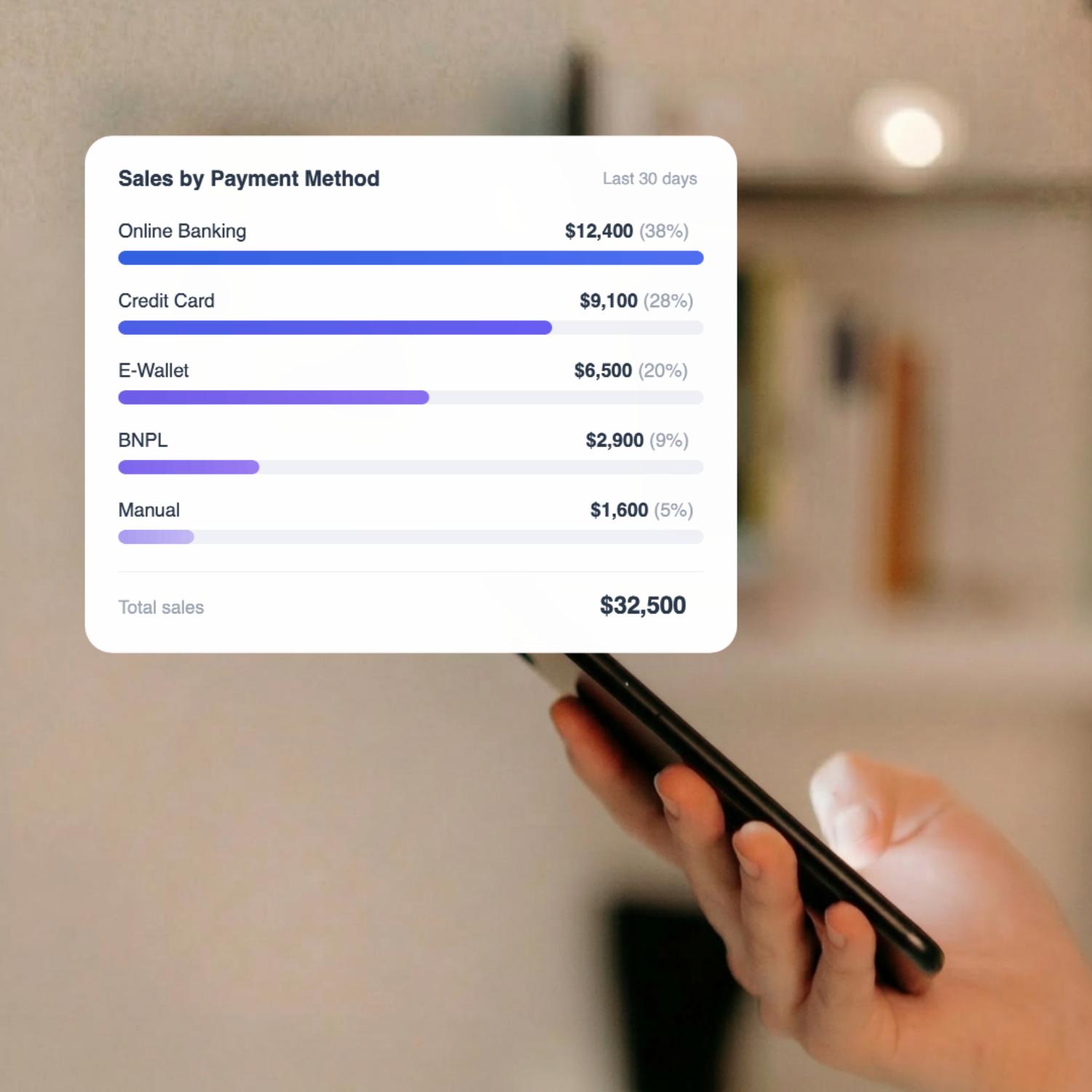
See which payment methods drive sales
Compare sales by payment method to understand how customers prefer to pay and where your revenue comes from.
TRANSPARENT PRICING
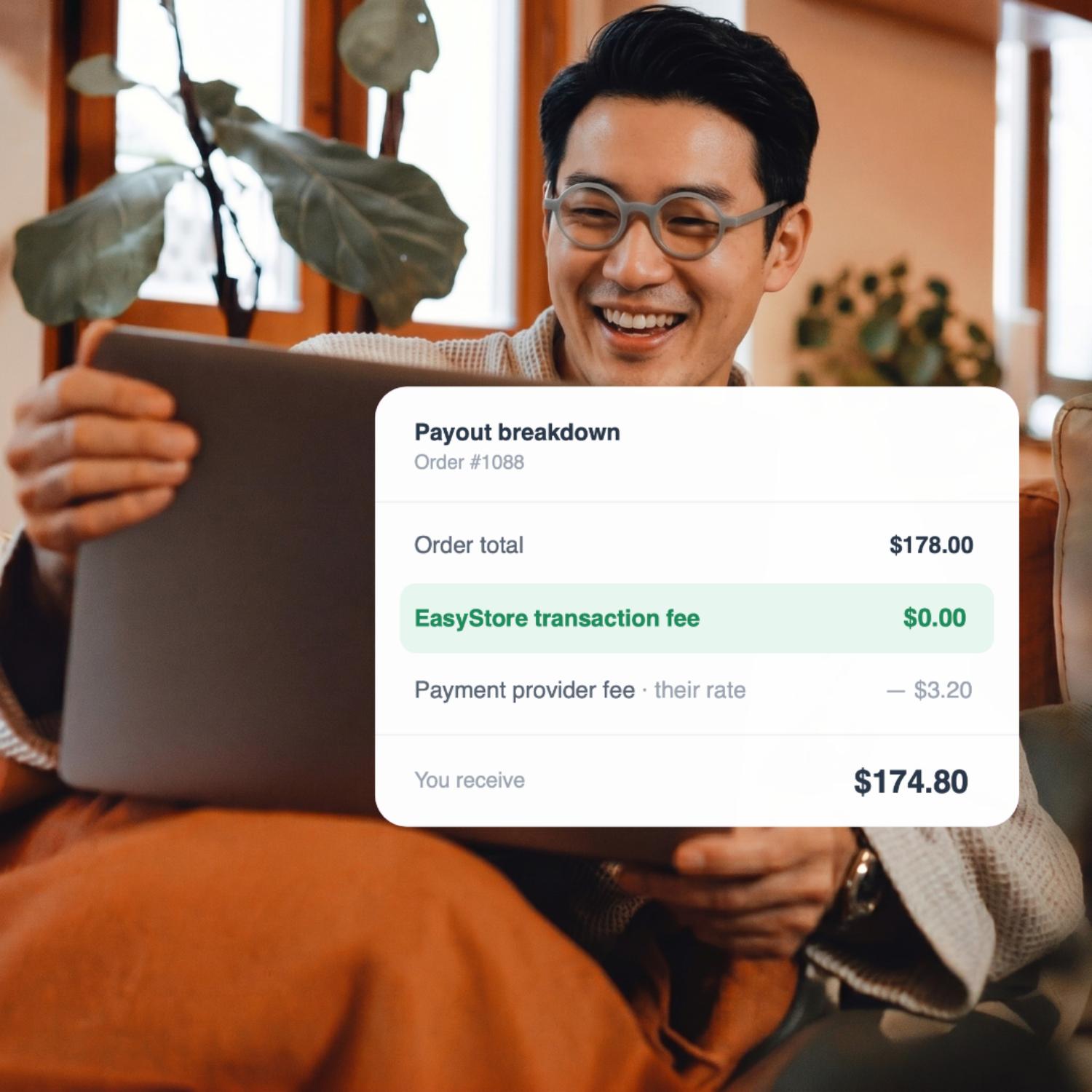
No extra transaction fee from EasyStore
Keep more from every sale with no additional EasyStore transaction fee. Your payment provider’s standard fees still apply.
-
Secured with PCI DSS certification
All payment partners are PCI DSS certified, so your customers can always feel comfortable buying from you.
-
Built for mobile conversions
A mobile-first checkout with one-tap wallets like Apple Pay and Google Pay — fewer steps, fewer drop-offs, more completed orders.
-
Refund with auto restock
When an order is refunded, stock is automatically restocked. Supported gateways sync the refund status back automatically.
-
Go global with multi-currency cart
Overseas buyers can browse, pay, and receive refunds in their own currency — removing a key barrier to cross-border purchases.
Frequently Asked Questions
-
Does EasyStore charge any transaction fees?
No. EasyStore charges zero transaction fees on any plan — including the free trial.
-
Can I use multiple payment gateways at the same time?
Yes. Activate as many gateways as you need — customers choose their preferred method at checkout.
-
Can I accept payments in foreign currencies?
Yes. International gateways support multi-currency transactions. Combined with EasyStore's multi-currency cart, customers pay in their local currency.
-
Is there any limitation on payment integrations by plan?
No. All plans — including the free trial — support unlimited payment gateway integrations.
-
What is manual payment?
Manual payment lets you accept bank transfers (IBG / instant transfer), wallet transfers (scan QR code), cash deposits (ATM), and other offline methods. Transactions are not auto-linked to orders — you verify receipt and manually mark the order as paid. It's recommended for merchants who have not yet applied to a third-party payment provider.
-
Is a business license required to apply for payment integration?
Most third-party payment providers require a business license or business registration to apply. Requirements vary by provider and region.
-
What documents are needed to apply for payment integration?
Typically you'll need a business license or registration, a copy of the business owner's identity card, and your business bank account details. Exact requirements vary by provider — our help centre has guides for each gateway.
-
How do I connect a payment gateway?
Apply for an account with your preferred provider, then connect it to EasyStore from the admin panel. Step-by-step guides are available in our help centre.