Retail POS
Serve customers better at every checkout
Run everyday retail, pop-ups, exhibitions, and mobile checkout with products, inventory, membership, rewards, and customer history connected in one point of sale system.
Try EasyStore 聯絡我們
Keep the retail experience consistent wherever your team sells
Without a connected retail POS
- Online and in-store customers are recognised differently
- Outlet staff check inventory and member benefits in separate places
- Temporary events need an improvised checkout workflow
- Customer history becomes disconnected after checkout
With EasyStore Unified POS
- Recognise customers through one connected profile
- Bring inventory, benefits, and promotions into the cart
- Use the same POS across outlets, pop-ups, and events
- Keep every purchase connected to customer history
How EasyStore POS helps your retail team
-
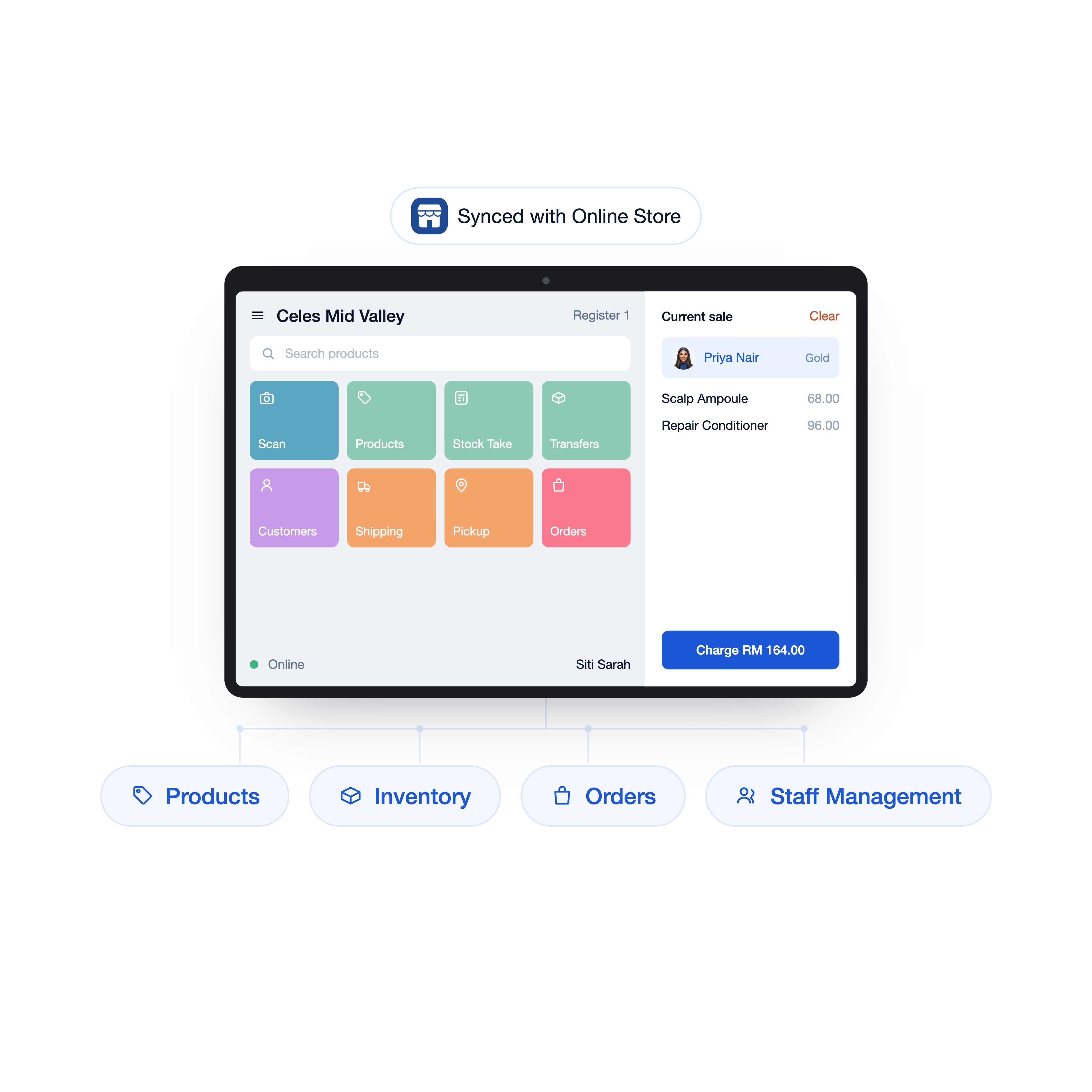
Run daily retail from one connected POS
Manage products, location inventory, staff access, shifts, payments, and orders from the same backend operation.
- Products and inventory by location
- Staff access, shifts, and daily reporting
- Connected online and in-store activity
-
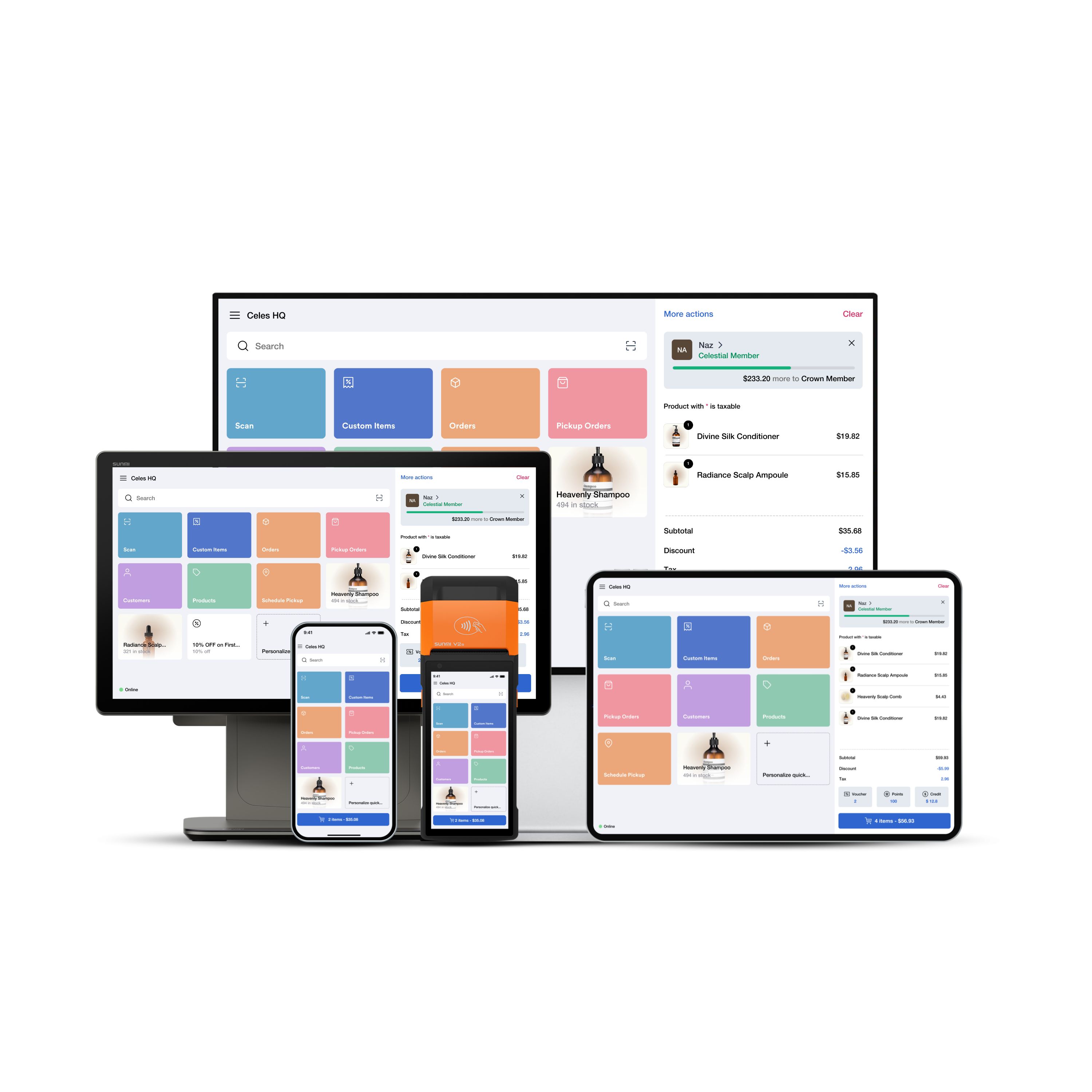
Bring checkout to wherever selling happens
Turn a phone, tablet, desktop, or supported POS device into a checkout point wherever service happens.
- Mobile and countertop checkout
- Product, customer, and voucher scanning
- Various payment options and digital receipts
-
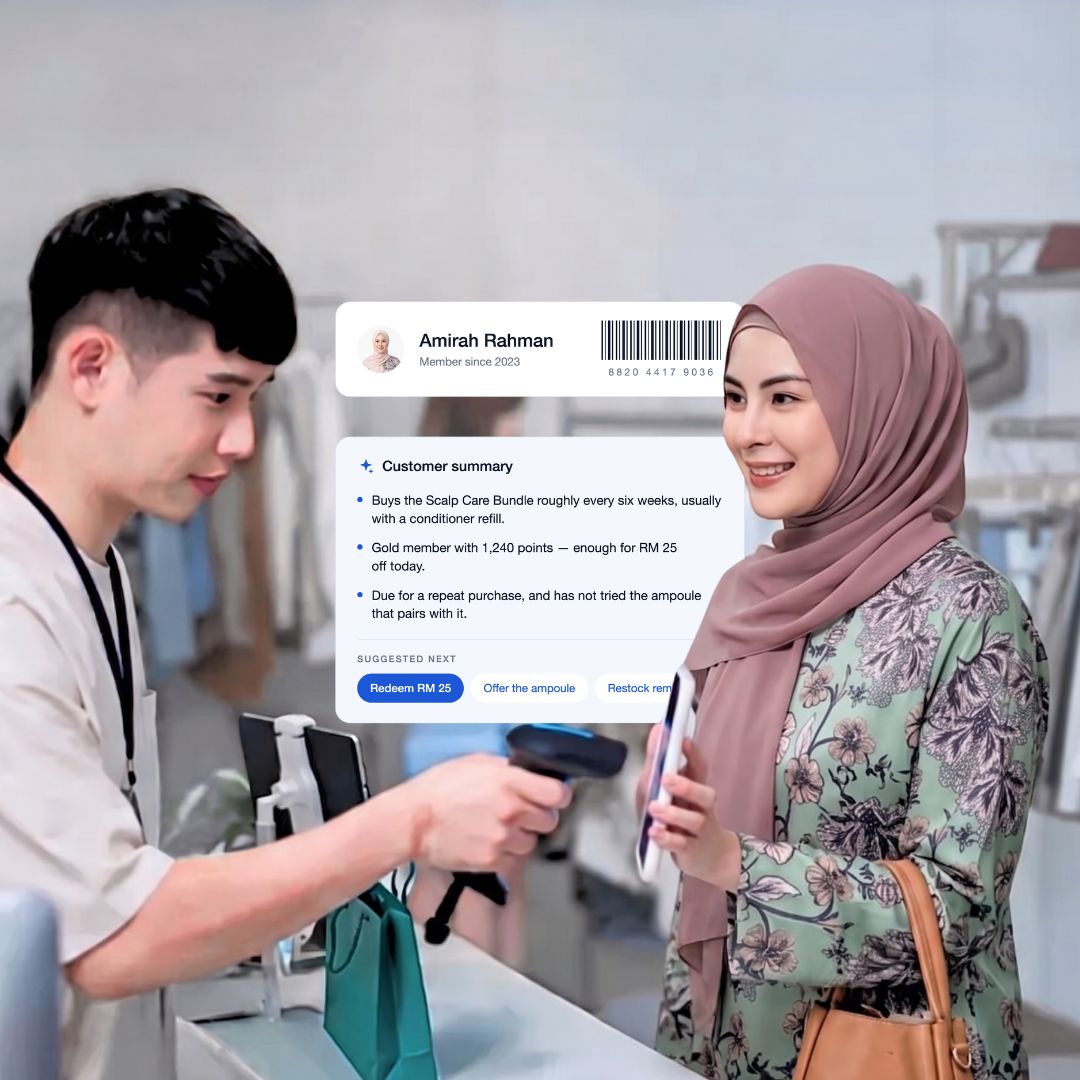
Give staff instant context before serving each customer
✨ AI summarises purchase patterns, loyalty status, and useful next actions, so staff can understand the customer without reviewing every order.
- Member status, in-cart items, and order history
- Purchase patterns and preferred categories
- ✨ AI-suggested next actions for staff
Ways to serve customers wherever retail happens
-
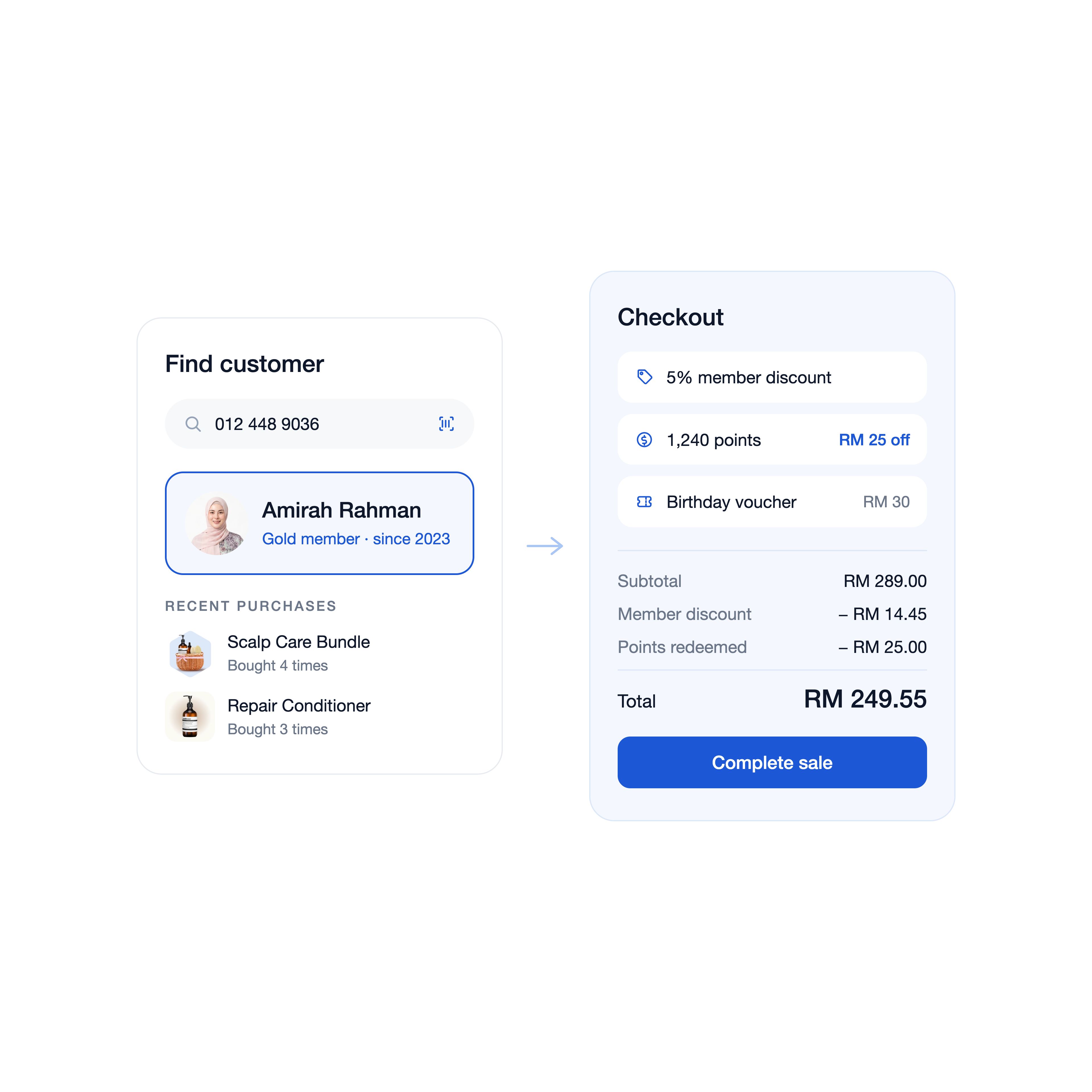 Everyday outlet checkout
Recognise members before completing the sale
Search or scan the customer, review their benefits and shopping history, then complete the checkout.
-
 Pop-up at exhibition
Bring your retail setup to temporary events
Use a mobile device to sell, register customers, recognise members, and connect digital rewards.
-
 Peak-hour checkout
Open another checkout point when queues build
Equip staff with a phone or tablet to scan products, build carts, and complete checkout away from the main counter.
-
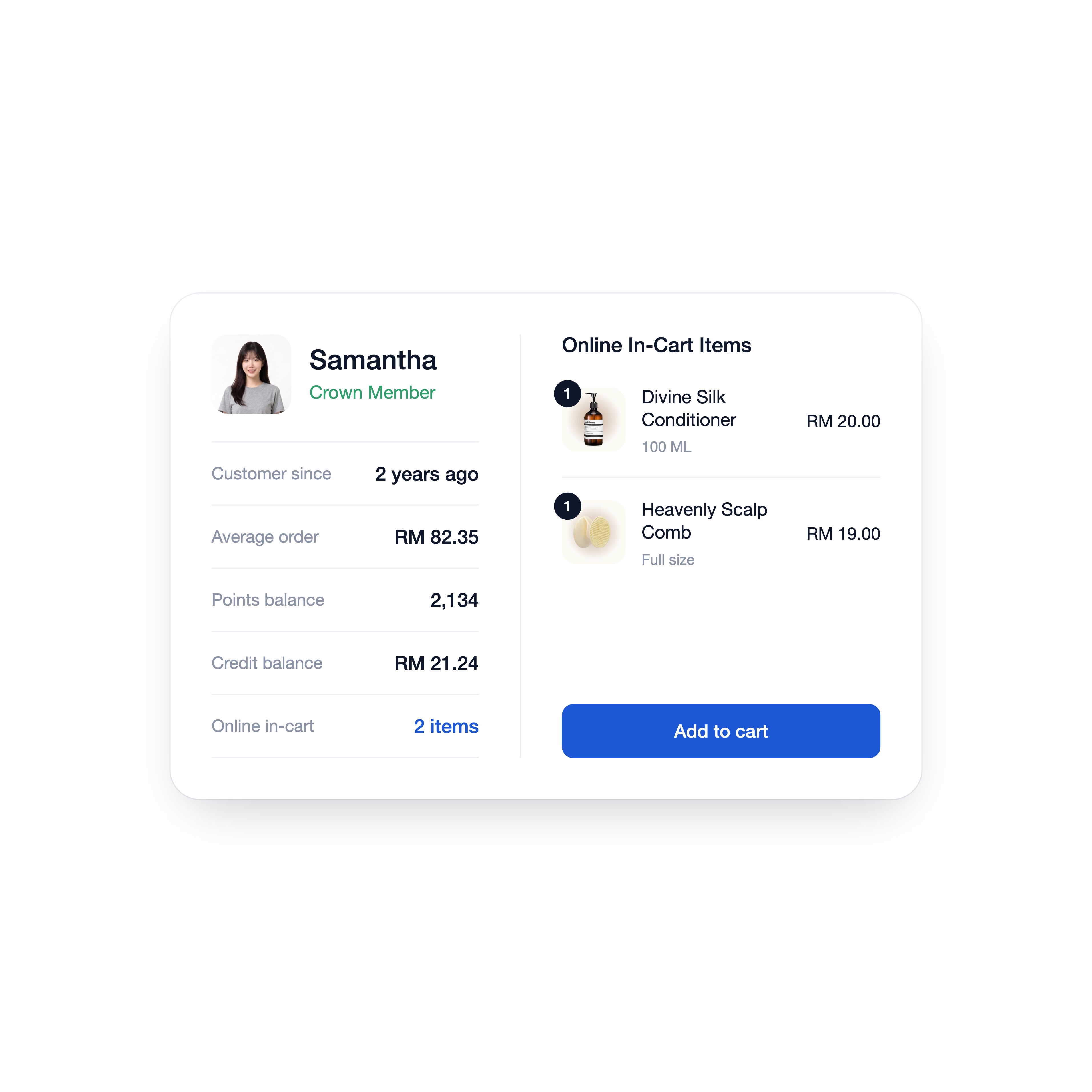 Online cart, in-store decision
Help customers complete a product considered online
Scan the customer’s online in-cart items and add the selected product to the current POS cart.
Frequently asked questions
-
Can I use EasyStore POS at permanent outlets and temporary events?
Yes. You can use EasyStore POS for retail outlets, pop-ups, bazaars, and exhibitions. The device, location, payment, and feature setup depends on your operation and plan.
-
Do I need dedicated POS hardware?
No. You can use a compatible phone, tablet, or desktop. You can also connect supported receipt printers, barcode scanners, cash drawers, or terminals when needed.
-
Can I open more than one checkout point?
Yes. EasyStore POS can run across multiple supported devices, so you can add mobile or fixed checkout points during busy periods.
-
Can my staff register a new member during checkout?
Yes. Staff can register a customer using their phone number or email and collect the additional details configured for your store.
-
How can my staff find an existing member?
Staff can search by name, email, or phone number, or scan the member QR code or barcode from the customer’s Shopping App.
-
What customer information can my staff see?
Depending on the permissions you assign, staff can access customer information such as membership status, tier progress, points, credits, vouchers, online cart items, purchase history, and past orders.
-
Can my staff add an online cart item to the POS cart?
Yes. After attaching the customer, staff can open their online in-cart items and add a selected item to the current POS cart.
-
Can customers use their vouchers, points, or credits in store?
Yes. Staff can apply eligible vouchers, points, and credits during checkout, subject to your loyalty and promotion rules.
-
Which plans include POS, Event Mode, and Shopping Assistant?
Availability varies by plan and setup. Check our latest plan comparison or chat with our team to confirm the right coverage for your retail operation.