
Inventory Management
Keep the right stock in the right channel as you grow
Track inventory across outlets, warehouses, and online channels, move stock between locations, forecast stock run-out, and manage incoming supplier orders, all from EasyStore.
Try EasyStore 联系我们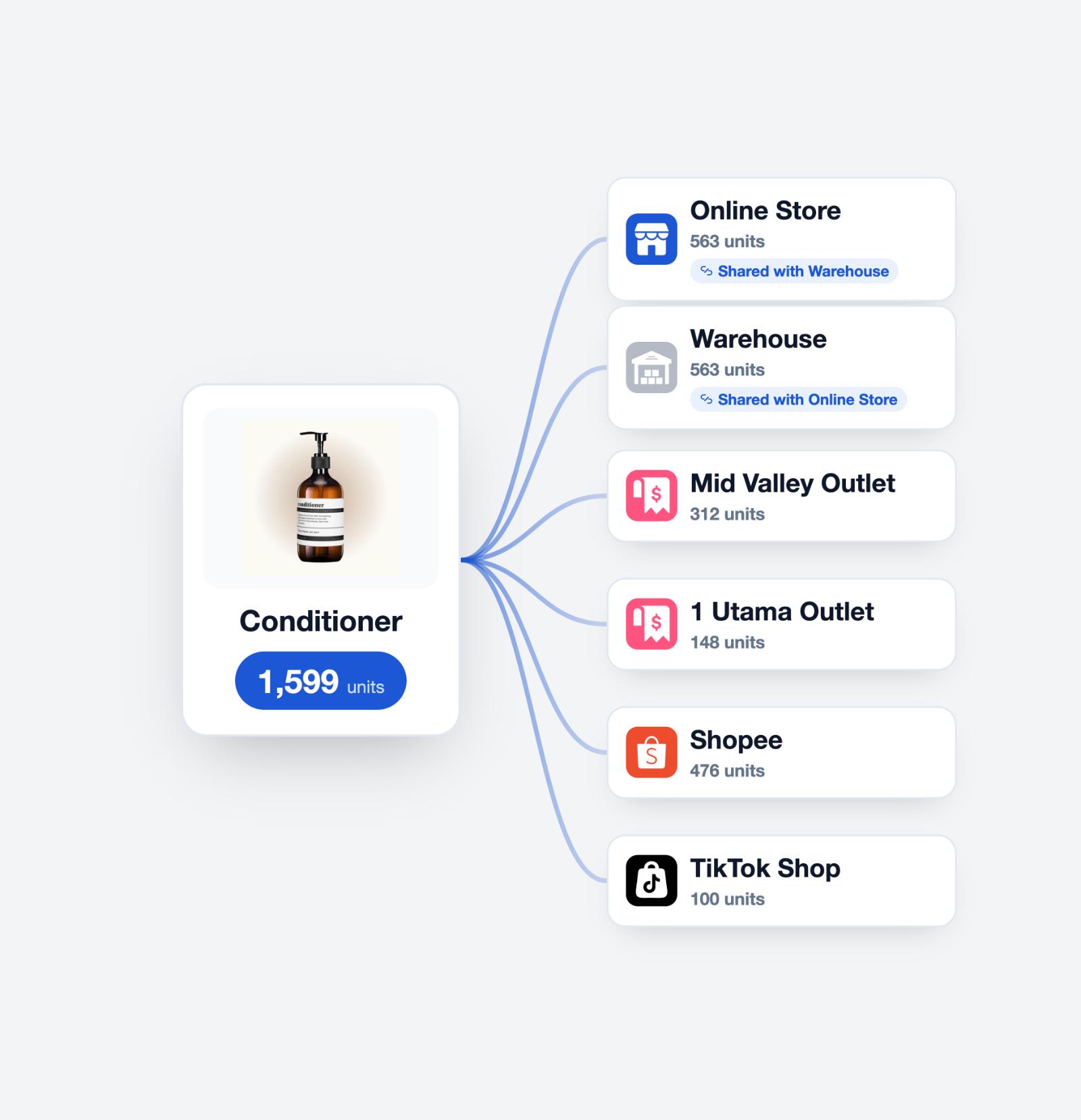
Stay in control as inventory spreads across more channels
Without connected inventory management
- Outlet, warehouse, and online stock are checked separately
- Teams confirm availability manually before promising a customer
- Stock movements are coordinated through messages or spreadsheets
- Replenishment starts only after low stock becomes urgent
With EasyStore Inventory Management
- View and manage inventory across channels in one dashboard
- Keep connected sales-channel inventory updated from EasyStore
- Track inventory while it moves between origin and destination
- Use forecasting and purchase orders to plan replenishment
How EasyStore Inventory Management helps
-
See stock across every channel
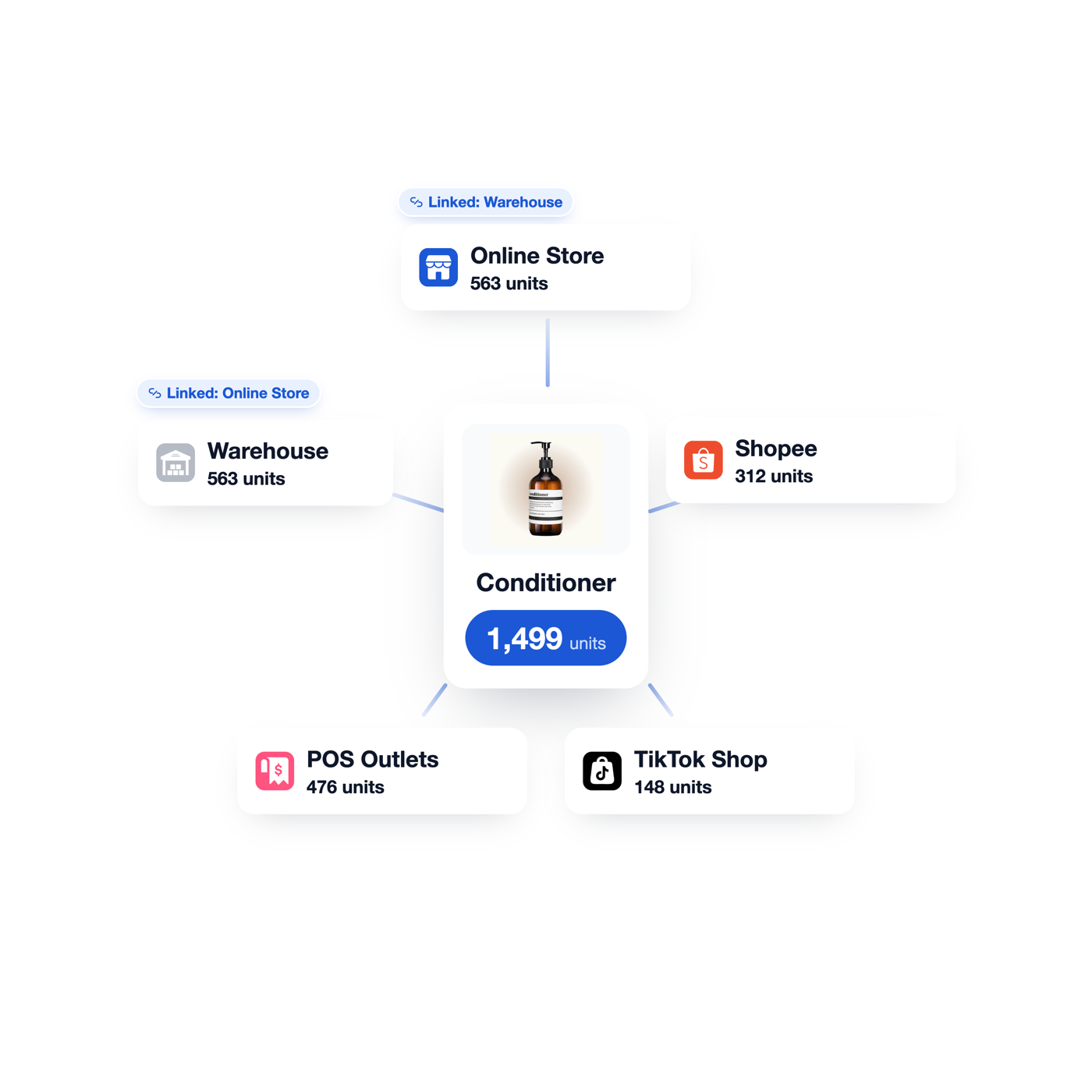
Manage inventory for outlets and connected sales channels from one system, and see whether locations track stock independently or share the primary location’s inventory.
- Multi-location inventory
- Independent or shared location stock
- Outlet, online, and marketplace inventory assignment
-
Move stock with a clear handover
Create a transfer from one independently tracked location to another, then follow the stock through draft, transferring, receiving, and completion.
- Origin and destination tracking
- Incoming inventory visibility
- Partial receiving, acceptance, and rejection
-
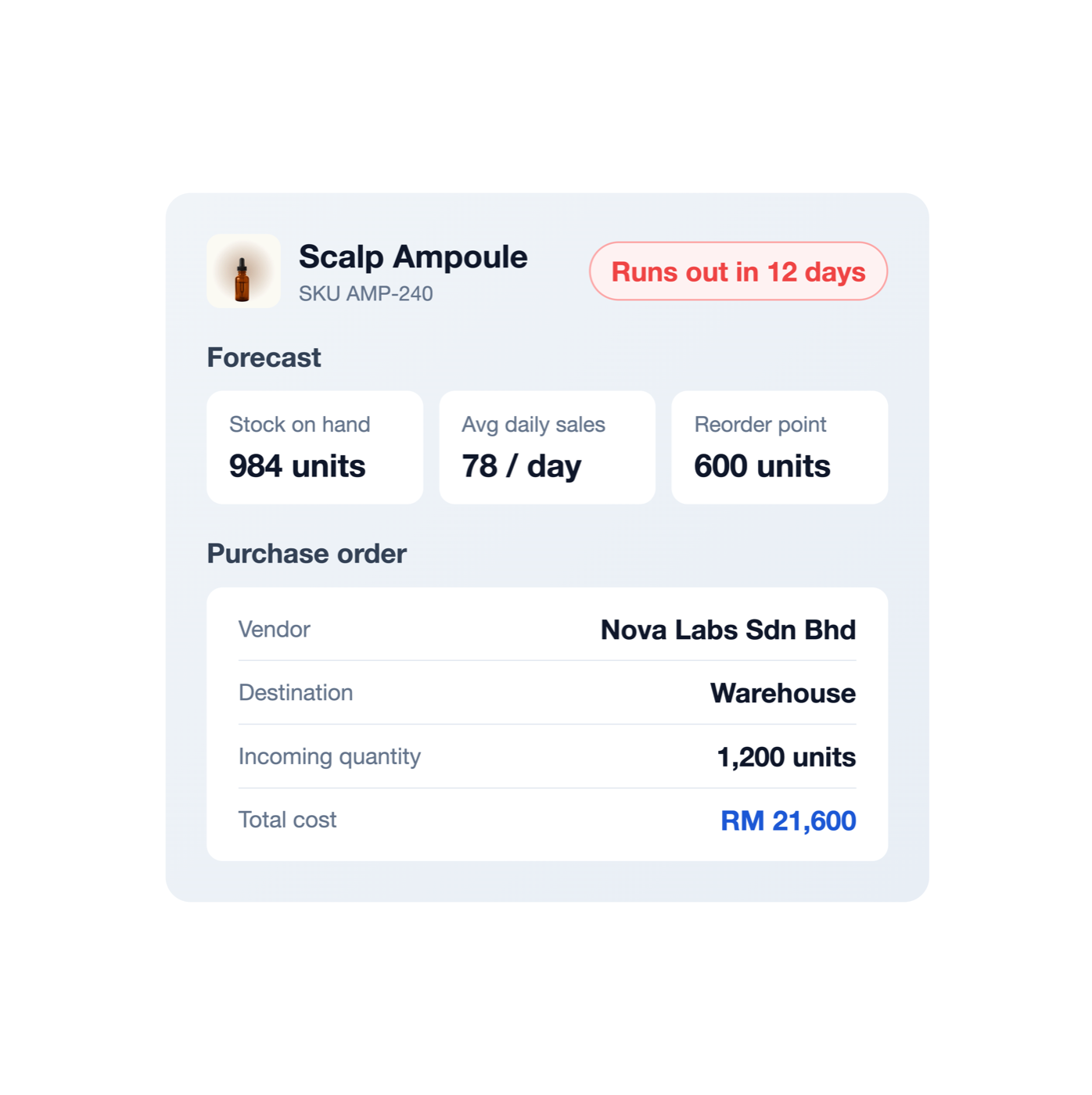
Plan and replenish with confidence
Estimate when tracked products may run out, and create purchase orders to manage vendors, costs, destination location, and receiving.
- Inventory forecasting
- Purchase orders and vendor records
- Partial receiving and goods-received notes
Inventory workflows for the way retail actually moves
-
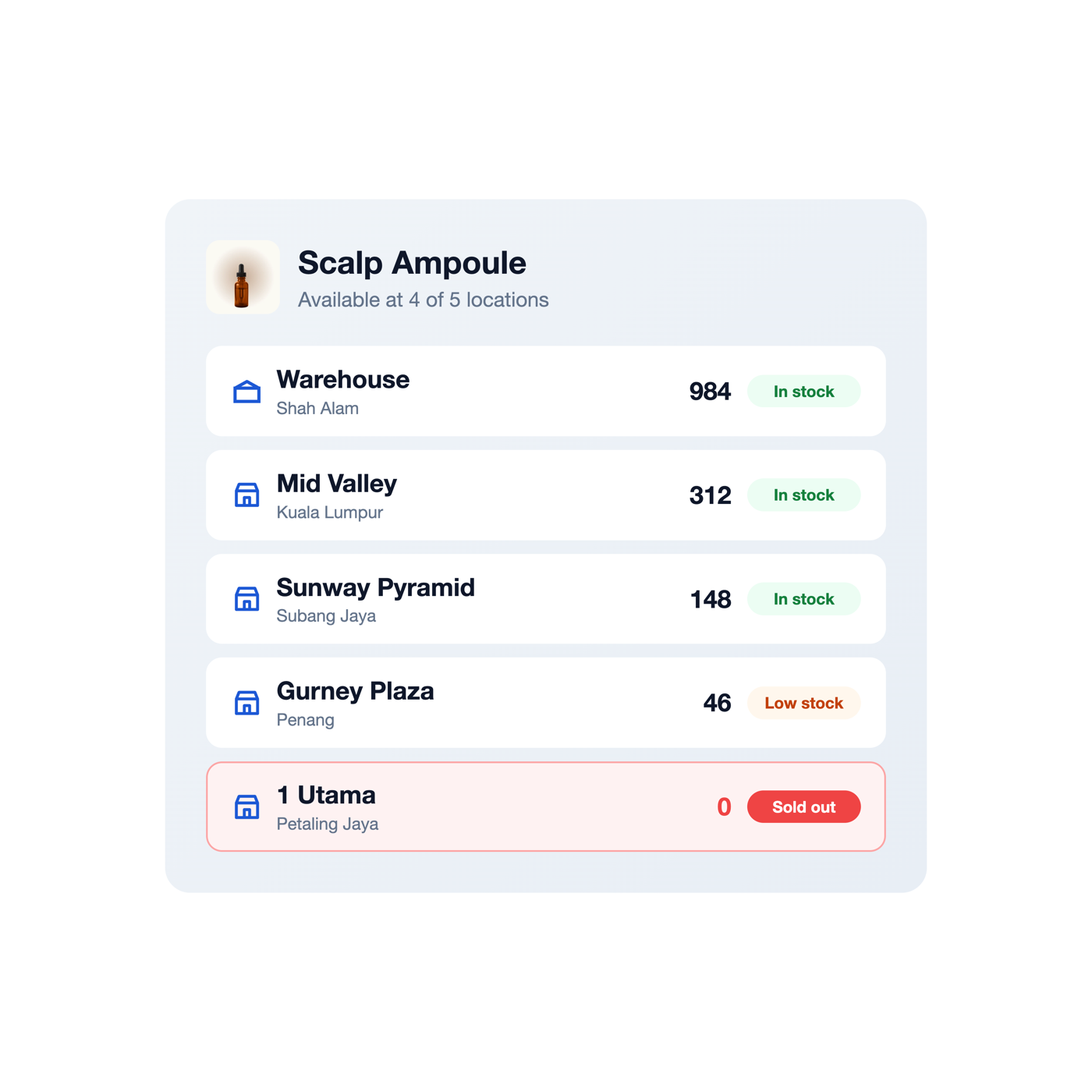 Multi-outlet visibility
Check what each outlet has before promising the customer
View stock by location so staff can identify where an item is available before arranging the next step.
-
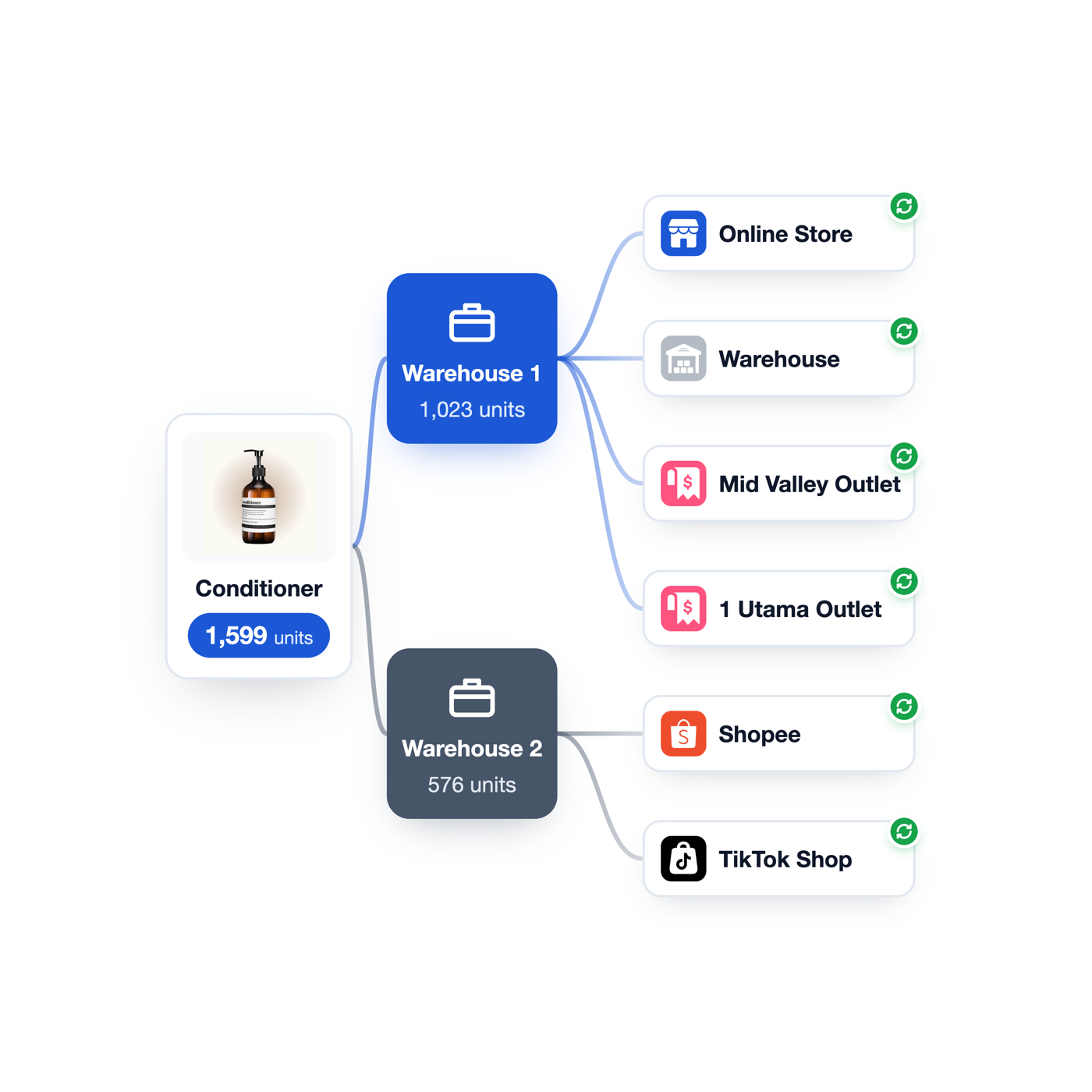 Online and outlet sync
Keep connected channels selling from the inventory you assign
Choose which inventory location supplies POS, online, or marketplace orders, and let EasyStore update connected-channel quantities.
-
Stock balancing
Move stock from one location to another with a traceable handover
Prepare, pack, transfer, and receive inventory with clear origin, incoming, and destination quantities.
-
 Restock planning
See which products may need attention before stock runs out
Use forecasting and average daily sales over a selected period to estimate how many days of stock remain.
Frequently asked questions
-
Can each outlet have its own stock quantity?
Yes. Locations can track inventory independently. EasyStore also supports locations that share the primary location’s inventory when they use the same stock pool.
-
Does outlet stock automatically become available to online customers?
Not by default. Online customers purchase from the primary location unless Multi-Shipping Origin is configured to make stock from multiple locations available for online fulfilment.
-
Can I choose which location supplies a marketplace?
Yes. Current documentation allows merchants to select the inventory location used for connected TikTok Shop, Shopee, or Lazada orders.
-
What happens to stock while it is being transferred?
When a transfer starts, the quantity is deducted from the origin and shown as incoming. It is added to the destination only after it is accepted during receiving.
-
Can a location receive only part of a transfer?
Yes. Transfers support partial receiving as well as accepted and rejected quantities. Rejected stock can be returned to the origin inventory when the restock option is selected.
-
How does inventory forecasting estimate when stock may run out?
EasyStore uses the current quantity and average quantity sold per day over the selected date range to estimate the remaining number of stock days. It is a planning estimate, not a guaranteed prediction.
-
What can I manage in a purchase order?
Purchase orders can include the vendor, destination location, payment terms, currency, products, quantities, costs, tax, shipment details, and other charges. Accepted quantities are added to the destination inventory during receiving.
-
Can purchase orders be partially received?
Yes. Teams can accept or reject item quantities, continue receiving remaining items later, and print a goods-received note while the order is partially or fully received.
-
Are all inventory features available on every EasyStore plan?
No. Inventory-location limits and advanced inventory features vary by plan. Check our latest plan comparison to find the right coverage for your business.